Sixty-five hours. Eighty hours. Players on r/GTA6 keep posting the same number with a different total attached: dozens of hours in Leonida without a single change in the sky. The GTA 6 weather system was supposed to be one of the big launch features, with thick fog, violent thunderstorms, and full hurricanes. For a lot of players, the sun just stays up.
How the GTA 6 Weather System Is Supposed to Work
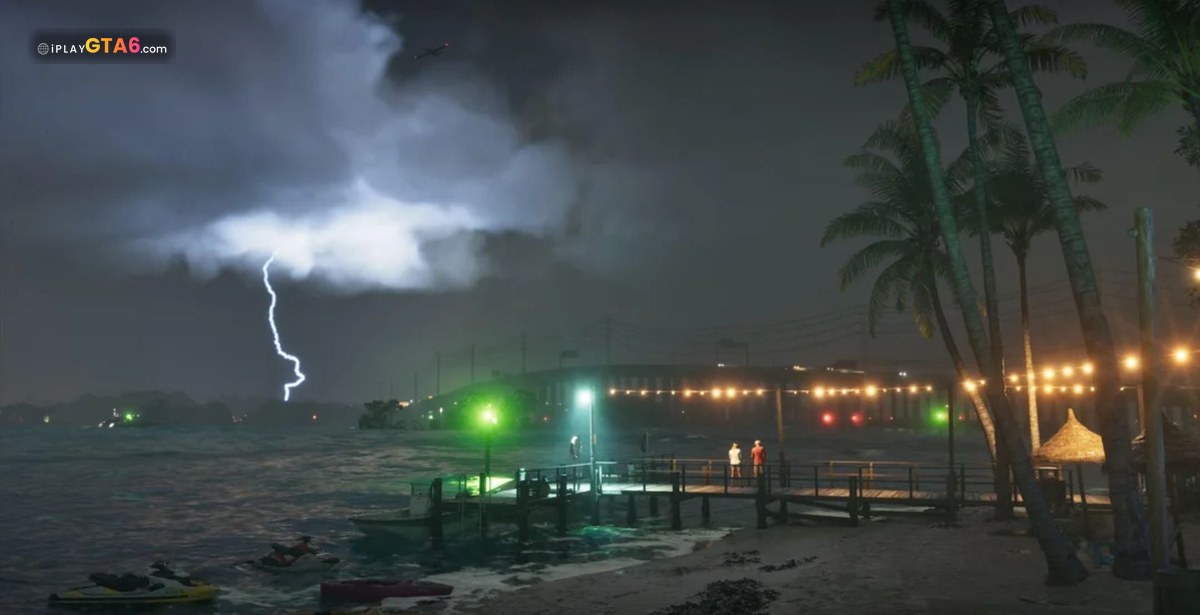
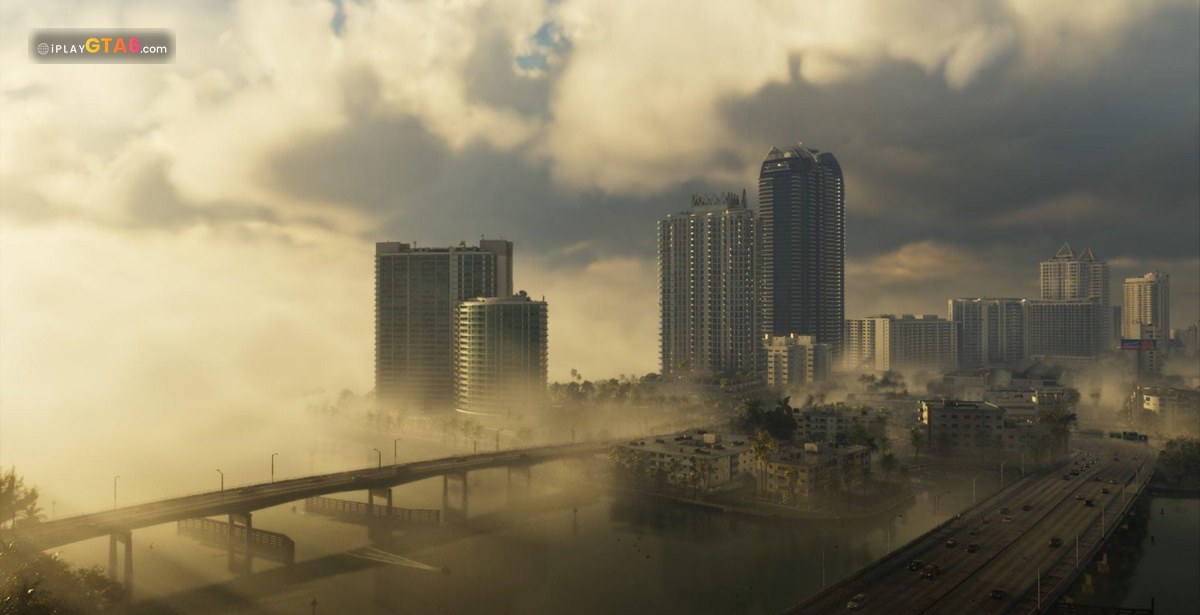
Rockstar built Leonida's weather to be local and dynamic. Rain can fall on the Leonida Keys while Vice City stays dry, and storms roll across the map instead of switching the whole state at once. The pre-launch footage showed thick fog, violent thunderstorms, and full hurricanes, plus wet roads, puddles, and clothing that stays damp after a storm.
The system also runs on a forecast. The Weather app on your in-game phone shows the outlook per county, so you can drive toward a county that is expecting rain instead of waiting where you stand. Our GTA 6 weather guide explains how storms, hurricanes, and local weather are meant to work.
Two parts of the system are easy to mistake for a bug. The weather is calmer in the early chapters by design, and storms get more common later in the story. Hurricanes are switched on separately too: they only appear in free roam after the Strangers and Freaks mission Retest Freddie's Defenses. Our GTA 6 hurricanes guide covers that unlock in full.
The Bug: When the Sky Gets Stuck
The bug locks the weather in place. The local system stops rolling, the sky stays clear, the roads stay dry, and no amount of driving to a new county seems to change it. Players first reported it within a day of the November 19 launch. One player put in around 36 hours without any rainfall at all, and the player behind the fix that went viral on November 26 had gone 56 hours without dramatic weather. The loudest threads of November 27 report 65 to 80-plus hours with zero weather change, with a combined 20,000 upvotes across four threads.
Rockstar named it in the patch notes. Update 01.002.002, shipped on November 23, fixed an issue that resulted in the weather not changing for extended periods. Our patch 01.002.002 breakdown lists all seven fixes in the update.
For many players, the patch did not work. Reports kept coming in after November 23 from players with 50 or more hours of sunshine behind them. That is the gap this guide is about: the patch fixed the bug for some players, and left the rest stuck. A few players also describe odd half-states, like damp roads under a clear sky, but those reports are scattered and unconfirmed, so do not treat them as a separate bug.

Bug or Intended? How to Tell in Your Game
Before you try a fix, check whether your game is actually broken. A calm spell is not a bug, and the system gives you three quick tests.
Make sure patch 01.002.002 is installed. The November 23 update fixed weather not changing for long stretches, and an unpatched game will stay stuck.
Storms are local. Check the Weather app on your phone, then drive toward a county that is expecting rain. If it is dry everywhere for many hours, that points to the bug.
Weather is calmer in the early chapters and storms are more common later. A quiet Chapter 1 sky can be normal. Dozens of hours of sun across counties in any chapter is not.
If the sun stays out for many hours in a row across different areas, and the update is already installed, your game has the bug. That is when the cache fix below comes in. Our GTA 6 rain bug guide covers the rain side of the problem in detail.
How to Fix the Stuck GTA 6 Weather System on PS5
The fix spreading since November 26 comes from players: clear the PS5 system cache. GameRoll shared it on November 26, crediting player @mauricioce85796, who saw a storm appear after loading a save following 56 hours without dramatic weather. Rockstar has not confirmed it, but clearing the cache does not delete saves.
Do not use Rest Mode. Save manually and quit GTA 6 first, and have a DualSense controller and a USB cable ready, since Safe Mode only connects by wire.
Press and hold the power button until you hear a second beep, about seven seconds, to enter Safe Mode.
Connect the DualSense with a USB cable and press the PS button, then choose Clear Cache and Rebuild Database.
Select Clear System Software Cache and confirm. Do not pick Rebuild Database by mistake. The whole job takes about two minutes.
Let the console restart, launch GTA 6, and load your save manually. Do not expect rain the moment you load in: the weather is still dynamic, so drive around Leonida and watch the sky and the Weather app.
What to Do on Xbox Series X and S
Xbox has no Safe Mode cache menu, so the fix there is a full power cycle. Shut the console down completely, unplug the power cable, wait two minutes, plug it back in, and turn the Xbox back on. Quit GTA 6 fully instead of using Quick Resume: highlight the game, press Menu, select Quit, then launch it normally.
Can You Make It Rain Yourself?
After you finish the main story, you can cycle the weather yourself with a cheat on the in-game phone. Our GTA 6 cheat codes guide lists the full set of codes and their limits.
Quick Questions
Is the GTA 6 weather stuck on sunny a bug?
Yes, when it lasts dozens of hours across counties. Rockstar's patch 01.002.002 fixed weather not changing for extended periods, but many players stayed stuck after it.
How do I fix the weather bug on PS5?
Turn the PS5 off fully, hold the power button to the second beep for Safe Mode, connect the controller by USB, pick Clear Cache and Rebuild Database, then Clear System Software Cache. It takes about two minutes and does not delete saves.
Is there a confirmed fix on Xbox?
Not yet. The reported workaround is a full power cycle: shut down, unplug for two minutes, plug back in, and launch from a cold start. Fully closing the game and reloading is the safest confirmed step.
Why are there no hurricanes in my game?
Hurricanes unlock in free roam only after the Retest Freddie's Defenses mission, so you will not see them before it, even when the weather works as it should.
The GTA 6 weather system was built to surprise you, and for too many players it surprised them with nothing at all. Check the patch, check the forecast, clear the cache if the sky is truly stuck, and drive toward the clouds.