You steal two good cars in one trip and then you face the obvious problem: you can only drive one of them home. In GTA 6, the answer is a partner command most players walk straight past. Tell Jason or Lucia to drive the first car, get into the second car yourself, and then tell your partner to follow you. Done right, the two cars roll out together like a convoy.
The GTA 6 partner follow car trick is simple once you know the order, and easy to get wrong if you skip a step. The game never teaches it in a tutorial box. It only shows up in the partner menu once the two characters are together in free roam, and Follow Me only appears when the game knows which car you mean.
How the GTA 6 Partner Follow Car Trick Works
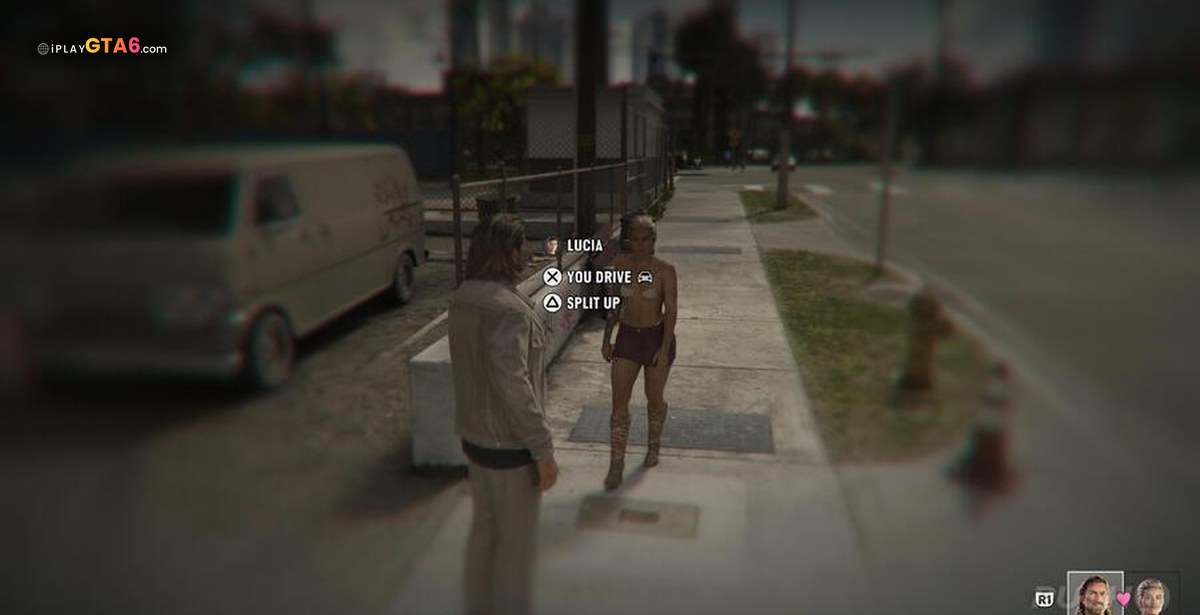
The trick uses two partner orders in a fixed order. First, You Drive puts your partner behind the wheel of one car. Second, Follow Me tells them to drive that car behind you. If you only use You Drive, your partner sits in the car and waits for you to climb in beside them, and nothing moves.
Both orders live in the same partner menu. Hold Right on the D-pad to open it, then pick the order that matches what your partner is doing. The buttons change with the situation, so read the label next to the button on your screen. On PS5, You Drive is usually Cross and Follow Me is usually Square when shown. On Xbox, the matching buttons are A and X.
You need Partner Freeroam, which means Jason and Lucia have to be together outside a mission. If you are still early in the story, finish the Chapter 2 mission Coffee Break first. That mission introduces the partner controls. Our AI companion guide explains how Jason and Lucia fight and travel together once that system is unlocked.
How to Make Your Partner Follow You in a Different Car
Set the whole thing up while both cars are parked close together. The game aims the command at whatever your camera is pointed at, so your position and camera angle both matter.
Start with Jason and Lucia together in free roam. Pick the car you want your partner to drive, and park your own car a short walk away from it.
Stand near the first car, point the camera at it, and hold Right on the D-pad. Choose You Drive, then wait for your partner to walk over and get into the driver seat.
Walk to your own car and get in. Stay parked near the first car, and turn the camera back toward your partner's car so the game has the right target.
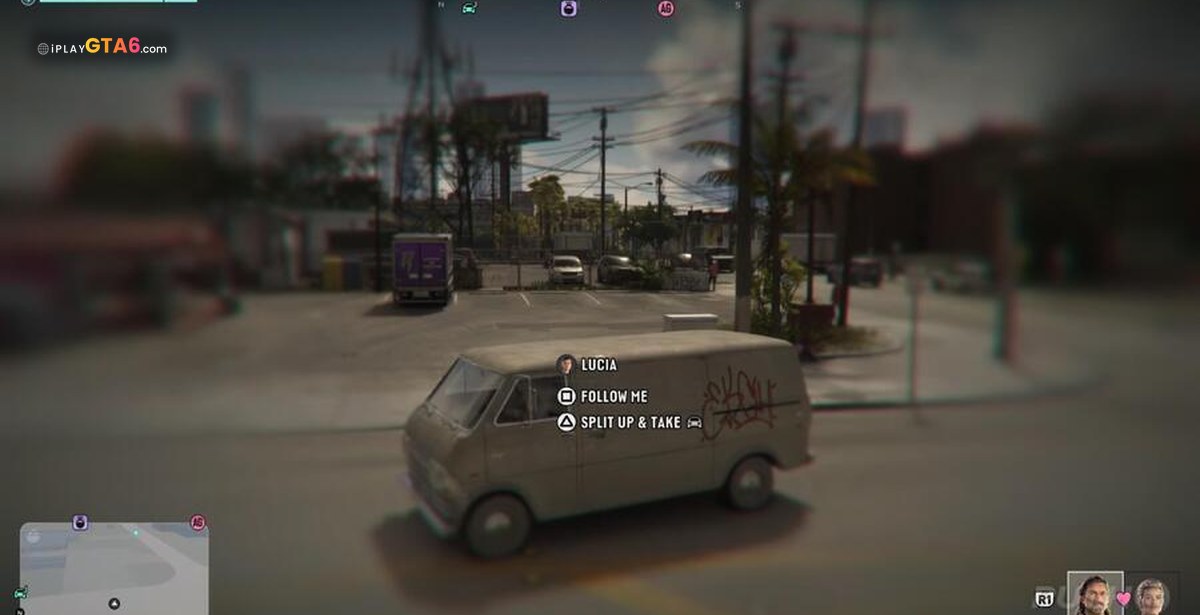
Hold Right on the D-pad again and choose Follow Me. Pull away slowly once your partner starts moving, and check that their car comes with you.
What to Do When Follow Me Does Not Appear
The Follow Me prompt is picky about distance and aim. If it does not show up, close the gap between the cars and point the camera at your partner's car before you open the menu. Pull alongside, stop, look at their car, and try again while you are both stopped.
If your partner keeps climbing out of the first car to join you, try the Wait in Car option when it is offered. Get into the first car together, tell them to wait in it, then head to the second car and give the Follow Me order from nearby.
Where Two Cars in One Trip Actually Pays Off
The most useful case is stealing cars. Spot two cars worth taking, put your partner in one, drive the other, and bring both home in a single run. Players have used the same sequence to bring two different cars to Moses in one trip.
It also works for getaway planning. Before a robbery, stage one car near the target and a second on the escape route, then move them both into place with your partner driving one. Our robberies guide covers how to case a target and plan the getaway.
There is a money angle too. GameSpot's guide to stealing and registering cars describes a player-found workaround built on the same commands: have your partner drive a car with an Advanced Tracker while you drive a car with a standard tracker or none at all, then deliver the tracked car by switching to your partner at the fence. The tracker does not trigger while your partner drives it, but it is a workaround, not an official feature.
Keeping Both Cars Together on the Road
Your partner drives well, but they are still following you through live traffic. For a first run, take a short route and drive at a normal pace. At your destination, leave room for the second car to pull in, and check that it actually arrived before you walk into a mission marker.
Partner Follow Controls on PS5 and Xbox
Hold Right on the D-pad to open the partner orders on either system. The exact prompts change with your position and what your partner is doing, so use the label next to the button on your screen if you have remapped your controls.
| Action | PS5 | Xbox Series X|S |
|---|---|---|
| Open partner orders | Hold D-pad Right | Hold D-pad Right |
| Choose You Drive | Cross | A |
| Choose Follow Me | Square when shown | X when shown |
If the car your partner is driving is stolen, our car registration guide explains how to make it yours so it stays in your garage. If you want to play as the other protagonist instead of ordering them around, our character switch guide walks through swapping Jason and Lucia.
Quick Questions
How do I make my partner follow me in a different car in GTA 6?
Park two cars close together, hold Right on the D-pad near the first car and choose You Drive. Then get into the second car, look back at your partner's car, hold Right again and choose Follow Me.
Why does Follow Me not appear in the partner menu?
You are probably too far from your partner's car or not looking at it. Pull alongside, point the camera at their car, and try again while you are both stopped.
When does the partner follow feature unlock?
After the Chapter 2 mission Coffee Break, which introduces the partner controls. You also need Jason and Lucia together in free roam.
What are the Follow Me controls on PS5 and Xbox?
Hold Right on the D-pad to open partner orders on both consoles. You Drive is Cross on PS5 and A on Xbox, and Follow Me is Square on PS5 and X on Xbox when shown.
Two cars, two drivers, one trip. Park close, order You Drive first, then Follow Me, and check the mirror before you speed off.