The phone in GTA 6 is not a menu. It is a thing Jason or Lucia pulls out of a pocket and holds in a hand while the world keeps moving. Press up on the D-pad and the camera moves in close to the screen in their hand. That one object runs the money, the car theft, the rides and most of the conversations that matter.
Learn it in the first hour and the rest of the game gets easier. Here is every app, what each one does, and when it shows up.
Open It Right: D-Pad Up, Anywhere
Up on the D-pad opens the phone on PlayStation 5 and Xbox. It works on foot and behind the wheel, and both leads carry their own. Jason's phone is not Lucia's phone: each one holds its own apps and its own conversations, because the phone belongs to the character, not the player.
The phone is a physical object in the scene, not a corner panel. GTABoom's phone guide puts it plainly: the camera moves toward the character's hand as they take it out. Pull it out on a quiet street, not mid-shootout.
WAiNK Reads a Car Before You Touch It
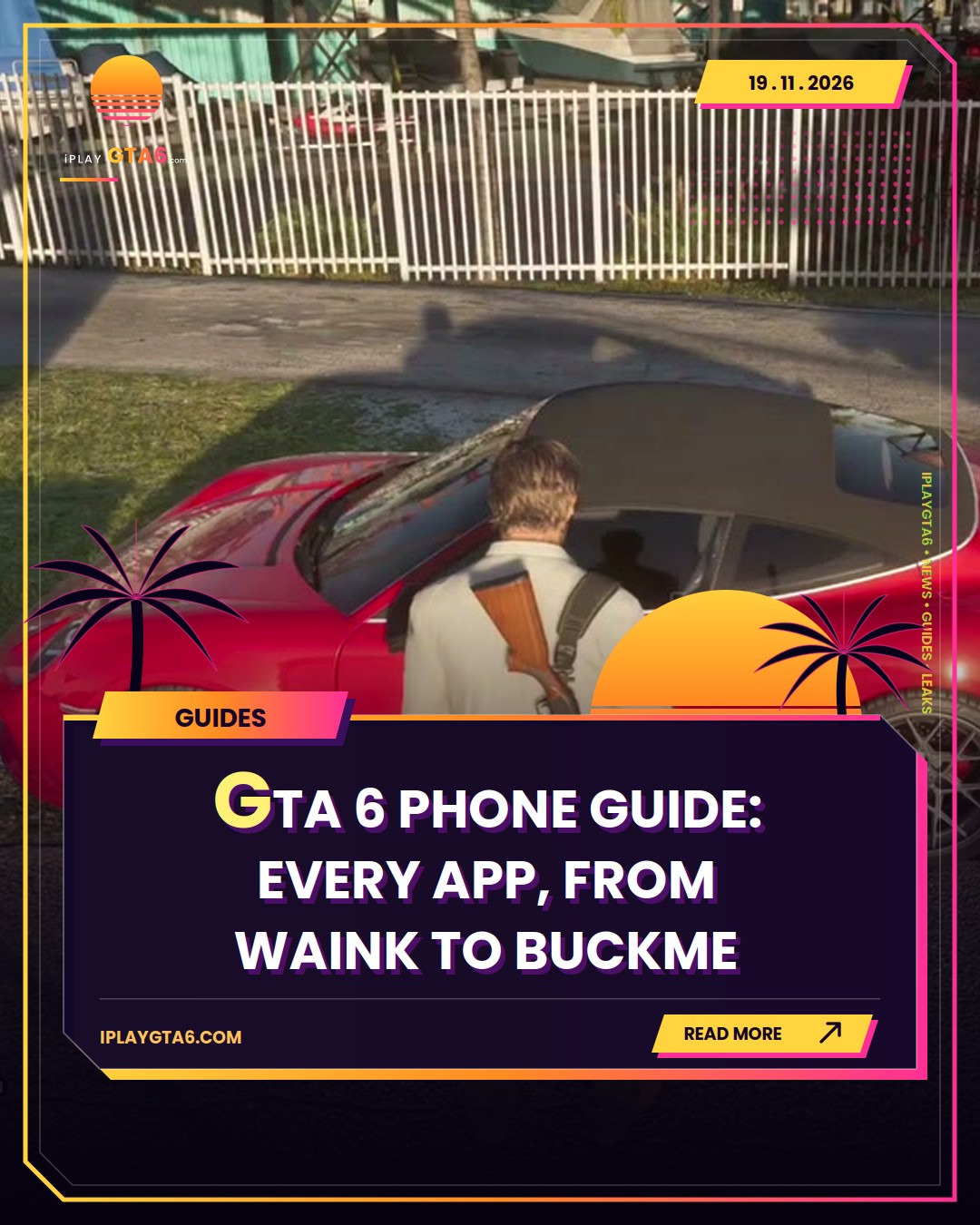
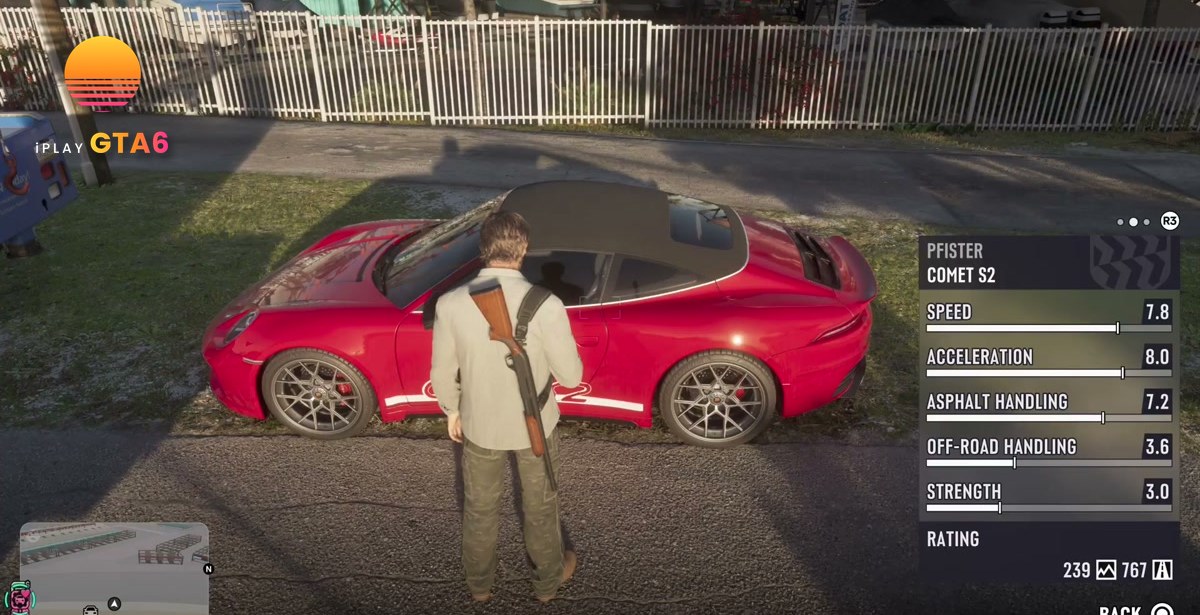
WAiNK is the app you will open most in the first days. Walk up to a parked car, open the app and scan it. Within about ten seconds you get the make and model, lock status, security, tracker and a rough value. IGGM's guide gives the ten-second figure, and GameEmpress's launch-night playthrough shows it in action.
Press R3 and a second page shows the car's stats. GameEmpress scanned a Pfister Comet S2: 7.8 speed, 8.0 acceleration, 7.2 asphalt handling, 3.6 off-road handling and 3.0 strength, plus two rating scores.
The tracker line is the one that saves you. GameEmpress notes that a tracker is how an owner can find a stolen car. Early checks found cars locked and alarmed with no tracker, an Imponte '77 Phoenix among them. A tracker means the car can be followed and the sale gets harder. GTABoom adds that WAiNK lists the models fences want, and shows whether your tools can start it and what registration costs.
BuckMe Is Your Bank, and the ATM Is the Door
Money in GTA 6 comes in two forms and only one of them is safe. Cash you carry can be lost. Money in BuckMe cannot. The app is the game's bank, a Cash App style account with checking and savings accounts. Its balance sits in the top-right corner of the HUD, your cash below it.
You do not get it at the start. BuckMe arrives in the Chapter 1 mission Buck Me, when Jason and Lucia go to the bank together and end up with the app instead of a normal bank account. Until then, stash cash under the loose floorboards in Jason's bedroom, and check the mailbox after a job: early pay arrives as cash.

Here is the catch. You cannot deposit cash through the phone. IGGM's guide and two hands-on accounts agree: there is no mobile banking transfer, so you walk the cash to a physical ATM yourself. Get Wasted or Busted on the way and the money on you is gone.
Paradise Taxi First, RydeMe After
GTA 6 has no map teleport: fast travel runs through rides, and the phone books them. In Chapter 1, before any ride app exists, Paradise Taxi is saved in your contacts. Call it after the opening mission, Gone Fishing, and a taxi drives to wherever you are. Set a destination marker, it works even in undiscovered country, get in, hold L2 or LT to talk to the driver, then press Triangle or Y to pay $100 and skip the ride. The skip is a flat $100 on top of the fare, whatever the distance.
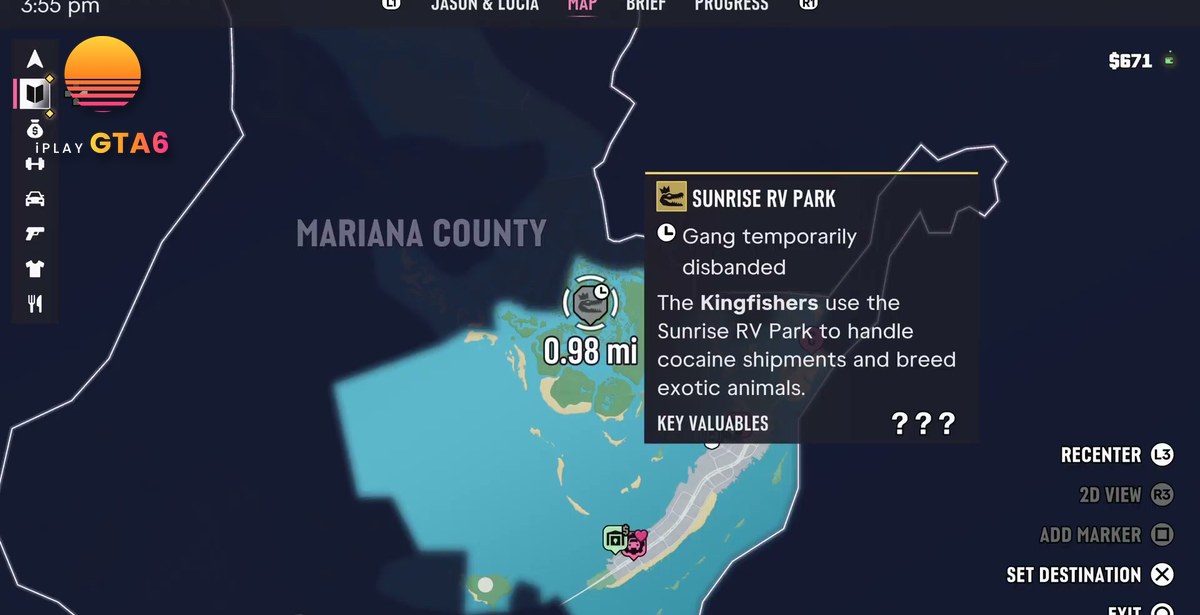
RydeMe joins the phone in Chapter 2. It is GTA 6's Uber and Lyft parody: open the app, pick a destination, and a car comes to you. The fare depends on distance, the $100 skip stays flat, and if no driver is available you can still call Paradise Taxi. GTABoom notes you can ride with another passenger and hold a full conversation on the way.
Contacts, Messages and the People Who Text Back
Contacts is the quiet workhorse of the phone. Early in Chapter 1 it holds a mechanic, so you can phone for car repairs instead of hunting for a garage. Paradise Taxi lives there too. A fence can text you a store-safe code, and a job can arrive as a message rather than a marker.
Your partner texts as well, and those messages deserve an answer. GTABoom's guide warns that ignoring them can strain the relationship between Jason and Lucia, and the game marks the important messages for you. You can also call or text the other protagonist to meet up.
Camera, Snapmatic and the Rest of the Home Screen
The Camera app takes quick photos without opening photo mode. Snapmatic is the other side of that: a social feed of other people's posts to scroll through, closer to Instagram and TikTok than to a camera roll. Browse it and follow accounts, because some NPC posts flag events happening out in the world.
One limit is deliberate. Jason and Lucia cannot publish their own photographs on Snapmatic. GTABoom explains why: they are on the run and want no digital trail. A separate photo mode exists for the pictures you want to keep.
The rest of the home screen fills in as the story moves. The Fitness app tracks your stats and shows when a workout is done, and it also watches sleep and tiredness. Scooter Bros arrives in Chapter 2 and delivers one of your registered cars to you for a fee, within seconds. Vice City Real Estate shows up after a Chapter 2 job for Moses, and every garage for sale is bought through it. Radio and podcasts play through the phone too, but only with headphones or earbuds from an electronics store.
Livestreaming is all over Leonida, though not as an app you open. FandomWire's breakdown of the Extended Look describes a kidnapped NPC livestreaming his own abduction to his followers while Lucia drives. Treat streams as something you watch, not something you start.
Quick Questions
How do you open the phone in GTA 6?
Press up on the D-pad on PS5 or Xbox. It works on foot and while driving.
What does WAiNK tell you about a car?
Make and model, lock status, security, alarm, tracker, rough value, tools needed to start it and registration cost. Press R3 for the stats page.
When do you get the BuckMe app?
In the Chapter 1 mission Buck Me, when Jason and Lucia go to the bank together. Until then, stash cash under the floorboards in Jason's bedroom.
How does fast travel work in GTA 6?
No map teleport. Call Paradise Taxi from your contacts in Chapter 1, or book a RydeMe ride from Chapter 2, then hold L2 or LT and press Triangle or Y to pay $100 and skip the trip.