Digital Foundry spent more than 100 hours testing GTA 6 on all four consoles. Every version targets 30 frames per second, there is no performance mode, and one console is clearly the best place to play.
This guide uses tested data, not pre-launch targets. Digital Foundry measured each console in real play, Rockstar confirmed the resolutions to Wccftech, and a New Zealand reviewer has played the shipped game on the weakest console.
The Short Version: Every Console at a Glance
The table below is the whole comparison in one place.
| Console | Internal resolution | Output | Frame rate |
|---|---|---|---|
| PS5 Pro | 1440p | 4K with PSSR | Near-locked 30fps |
| Base PS5 | 1440p | 4K with TAA | 30fps, dips to 23fps |
| Xbox Series X | 1440p | 4K with TAA | 30fps, dips to about 20fps |
| Xbox Series S | 720p | 1080p with FSR 4 | Mid-20s in large parts of the game |
John Linneman played the PlayStation versions and Oliver Mackenzie played the Xbox versions, logging more than 100 hours between them. Rockstar gave the same figures to Wccftech, so the numbers here are both measured and confirmed.
PS5 Pro: The Clear Winner
The PS5 Pro is the best way to play GTA 6. Linneman played for more than 50 hours without a single performance dip outside deliberate stress tests, and across around 75 hours of standard play the game held a consistent 30fps with perfect frame pacing.
Only a grenade launcher destruction test could push it off target, down to 24fps, and it recovered quickly. The Pro renders at the same 1440p as the base PS5, but Sony's PSSR upscaler rebuilds the image so well that Digital Foundry says it passes for native 4K. It is also the only console with ray-traced shadows.
Base PS5 and Xbox Series X: Close, But Looser
The base PS5 and the Xbox Series X are close to each other, a clear step behind the Pro. Both render at 1440p, upscale to 4K with Rockstar's TAA, and hold 30fps through most normal play.
On the base PS5 the small dips are really very minor, Linneman says, but noticeable, and the console struggles to hold 30fps more often than expected. In the grenade test it fell to 23fps and stayed below 30fps until the player left the area or was killed.
On Series X, Mackenzie played the whole story, about 45 hours. It settles into the upper 20s in busy chases, crashes and shootouts, and the worst he logged was around 20fps in crowded intersections. Input lag measured around 180 milliseconds, in line with Red Dead Redemption 2.
Xbox Series S: It Runs, But It Struggles
The Series S is the hardest version to recommend, in Digital Foundry's own words. It renders at 720p and uses AMD's FSR 4 to reach about 1080p, the first Series game to use the new upscaler. Large parts of the game play out in the mid to high 20s, and heavy destruction can push it to around 20fps.
Rockstar kept the big features: strand hair, ray-traced global illumination and reflections are all there. The cuts are smaller ones, with lower precision lighting, softer reflections, degraded shadows, muddier textures and flatter water. Mackenzie blames the 10GB of slow memory and advises playing on another platform for now. RNZ reviewer Liam Swiggs, two hours in on Series S, called it reasonably solid but noted drops in busy scenes and around the water, while his partner on a base PS5 saw far less.
Why There Is No 40fps or 60fps Mode
The limit is the CPU, not the graphics chip. A 40fps mode would cut the time for each frame from 33.3 milliseconds to 25 milliseconds, which would need major optimization or cutbacks to traffic, crowds, physics or other systems.
The Pro's faster graphics do not help, since its CPU is only slightly faster than the base PS5's. Rockstar has announced no performance mode.
Resolution and Image Quality: What PSSR and FSR Actually Do
Rockstar gave the numbers to Wccftech: PS5 and Series X upscale 1440p to 4K with in-house TAA, the Pro uses PSSR2 from the same 1440p base, and the Series S scales 720p to 1080p with AMD FSR Upscaling 4. Every version composites a 4K interface on top. Some outlets call it FSR 4.1; this guide uses Rockstar's wording. Digital Foundry found no signs of dynamic resolution scaling.
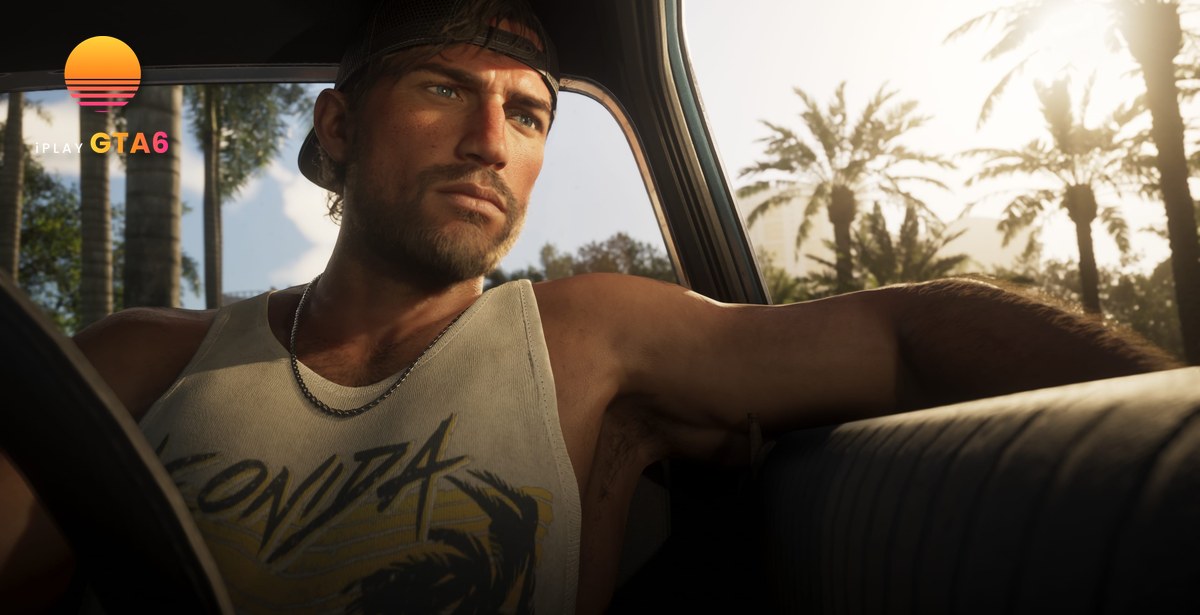
The ray tracing is where the versions split. All four consoles use ray-traced global illumination and reflections. Only the Pro adds ray-traced shadows. Digital Foundry calls GTA 6 the single most visually striking game of the generation.
The One Setting Worth Changing
Motion blur is one of the few settings, set to 3 out of 10 by default. Higher is smoother, lower is clearer. It changes how the game looks, not how fast it runs.
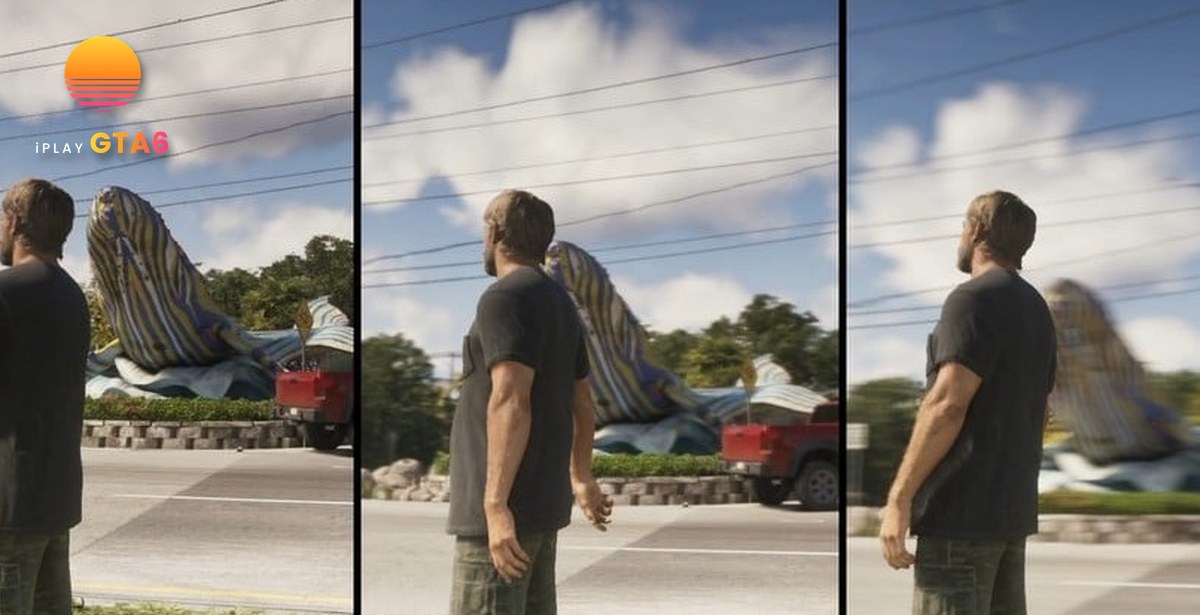
Depth of field and vignetting cannot be adjusted. Rockstar calls the darkened corners an artistic choice with no toggle, though it has acknowledged the vignette looked stronger than intended in places. Xbox consoles can use a 120Hz VRR container for a slightly smoother feel; PlayStation VRR only works above 48fps, so it does nothing here.
Which Console Should You Buy It On?
If you have a choice, buy the Pro: it holds 30fps, has the sharpest image, and owns the ray-traced shadows. If you already own a base PS5 or a Series X, you are in good shape, and there is no reason to buy a new console for this game.
The Series S is the awkward case. If it is your only console, the game still runs and still looks like GTA 6. If you are buying a console for this game, pick another platform for now.
What This Means on Launch Day
Before launch the news was a 30fps target. Now the testing is in: the Pro holds it, the base consoles mostly hold it, and the Series S often does not. Linneman called it both acceptable yet a little disappointing, and that fits.
Quick Questions
Does GTA 6 run at 60fps on PS5 Pro?
No. Every console targets 30fps, with no 40fps or 60fps mode on any platform. The Pro holds 30fps far more reliably, but never runs faster.
Which console runs GTA 6 best?
The PS5 Pro: a near-flawless 30fps with perfect frame pacing, a near-4K image through PSSR, and ray-traced shadows only the Pro has.
Is GTA 6 playable on Xbox Series S?
Yes, but it is the weakest version: 720p upscaled to about 1080p with FSR 4, and large parts of the game in the mid-20s.
Why is there no 40fps mode?
The limit is the CPU. A 40fps mode would cut the time for each frame from 33.3 milliseconds to 25 milliseconds.
Can I change a setting to improve the frame rate?
No. There is no performance mode and no setting that raises the frame rate. Motion blur only changes how the picture looks.